
 Start building for free
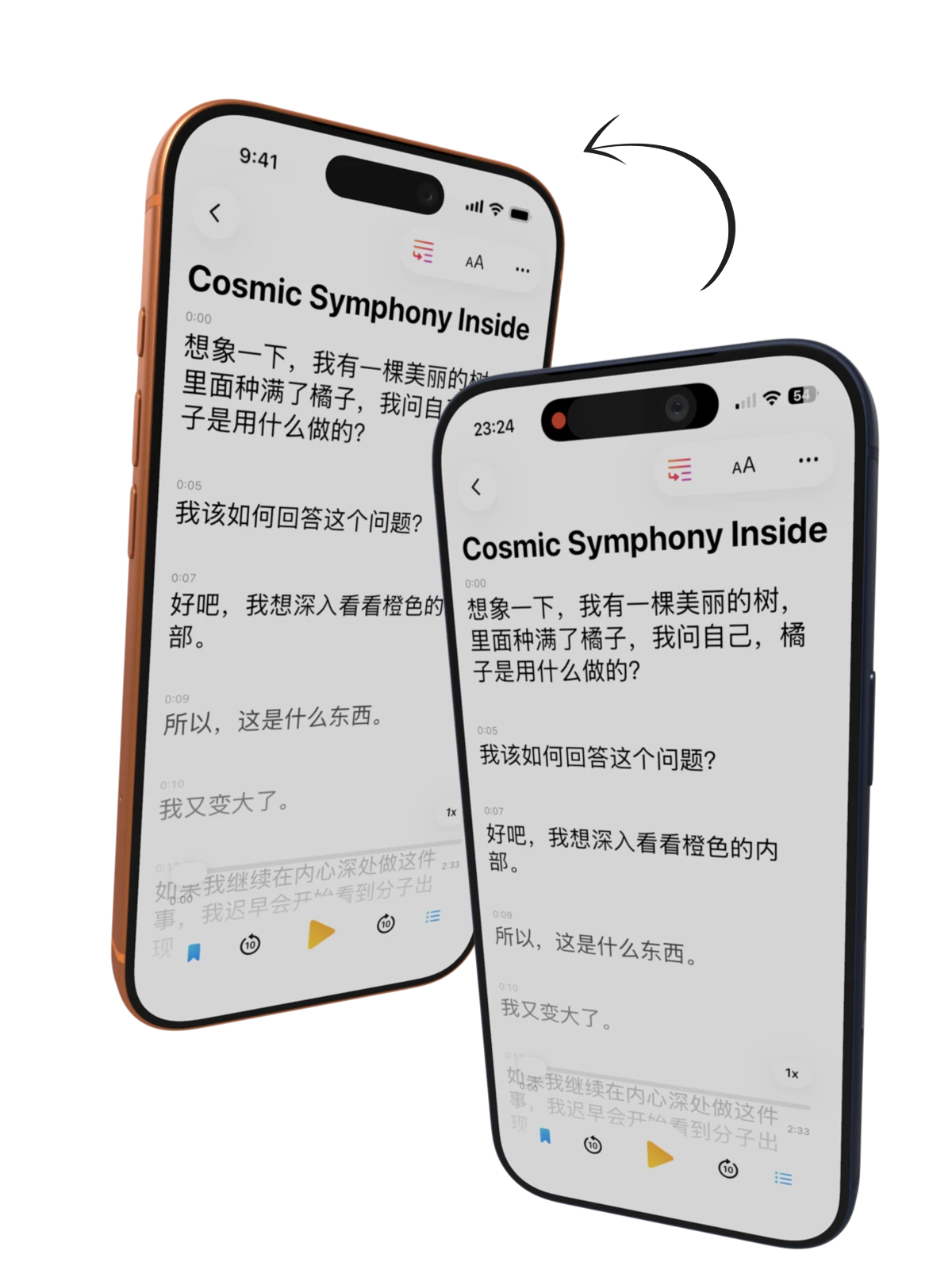
Remove screen-recording badges and capture noise from supported framed media.
Clean Status Bar
Replace recording indicators, messy time, battery, and signal clutter with a clean Apple-style 9:41 status bar.
Inside Clean Status Bar
Make raw captures look presentation-ready.
Recorded demos and raw screenshots often capture red recording indicators, inconsistent time, noisy battery states, and carrier clutter. Clean Status Bar keeps the frame polished before export.
Status Bar Polish
Standardize the time, signal, Wi-Fi, and battery into the clean presentation users expect from App Store screenshots.
Keep still exports and preview videos visually consistent without retouching each asset.
The cleanup stays inside the Bezel Studio frame workflow, so it remains editable before final export.
Keep Exploring
Related guides for this feature
Use Clean Status Bar with device frames, motion, and export workflows for polished launch assets.