
 Get the app preview video maker
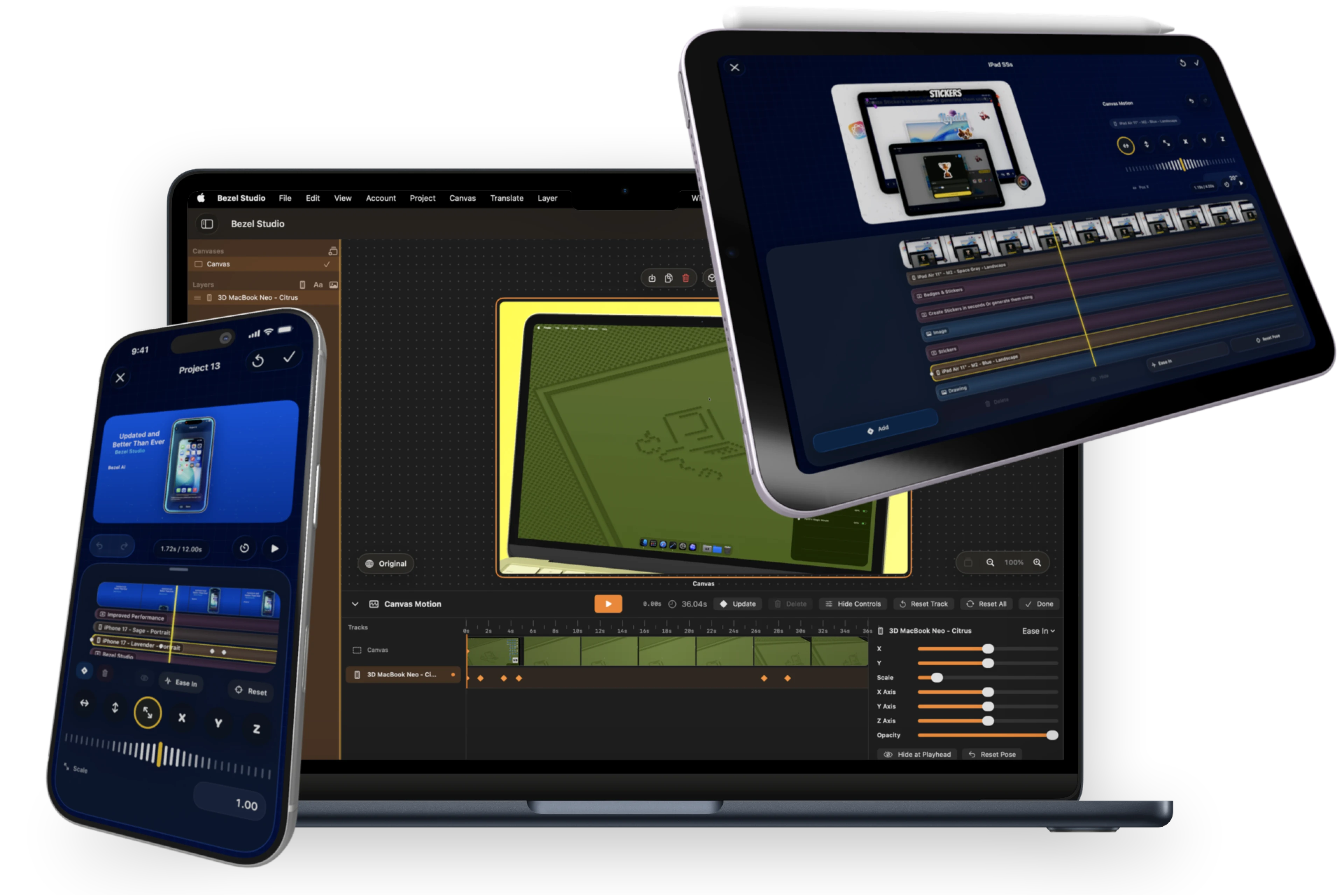
Open a text layer, image, frame, or other supported overlay and switch into motion editing.
Canvas Motion
Build animated App Store visuals with keyframes, easing, and per-item motion controls that stay inside the same canvas model.
Inside Canvas Motion
Animate the same canvas you already designed.
Canvas Motion turns static compositions into polished motion pieces without leaving the editor. You can keyframe individual elements, tune easing, and preview how the movement feels before exporting the final result.
The motion data lives with the canvas, which means it stays editable, syncable, and export-ready alongside your frames, text, backgrounds, and stickers.
That makes Canvas Motion practical as an app preview video maker, not just an animation experiment. You can design the still screenshot first, reuse the same layout structure, and then add timing and movement only when the launch asset needs video.
How to use Canvas Motion
Capture changes to position, scale, rotation, opacity, and visibility at the moments that matter.
Tune easing and timing so transitions land smoothly instead of looking robotic.
Watch the motion play directly on the canvas before exporting anything.
Reuse the same motion data for preview assets or animated launch visuals.
Best for
App Store preview videos and motion-rich campaign assets.
Subtle product reveals, slide transitions, and premium movement.
Editing a scene once and reusing the motion across multiple canvases.
Why Canvas Motion converts better than separate tools
Keep screenshot styling, device frames, captions, and motion timing in the same project.
Adjust the launch composition once instead of recreating it in a separate video editor.
Export motion that still matches the App Store screenshot set people already saw on the page.
Keep Exploring
Related guides for this feature
These walkthroughs help visitors move from motion concepts into production-ready launch workflows.
Guide
How to create App Store preview visuals with Canvas Motion.
Turn the same composition model into animated preview assets with keyframes, timing, and export.
Guide
How to create localized App preview video variants.
Carry approved still layouts into translated motion scenes without rebuilding the launch sequence.
Launch Path
Turn motion into a full launch package.
Visitors landing on Canvas Motion already care about App Store preview videos. Keep them moving into export and reusable layout pages instead of forcing a jump back to the homepage.
Feature
Batch export App Store screenshots and preview videos
Render the still-image set and preview-video deliverables from one project when the launch sequence is ready.
Feature
Reusable App Store screenshot layouts
Reuse a motion-ready composition across updates, localizations, and campaign variants without rebuilding the scene.